Search
  Casino
  Sports
Wolfio Login and Registration Instructions 2026
Simply complete your Wolfio sign up form to gain access to your personal profile and balance. The process involves entering your email and creating your password, which takes less than two minutes. You will use these details to log in to your account.
Having a personal account is a quick path to getting exclusive perks. For example, you can join the Loyalty program and earn tailored bonuses, cashback and rakeback. Below, you will find instructions for creating an account, logging in and troubleshooting quick login issues.
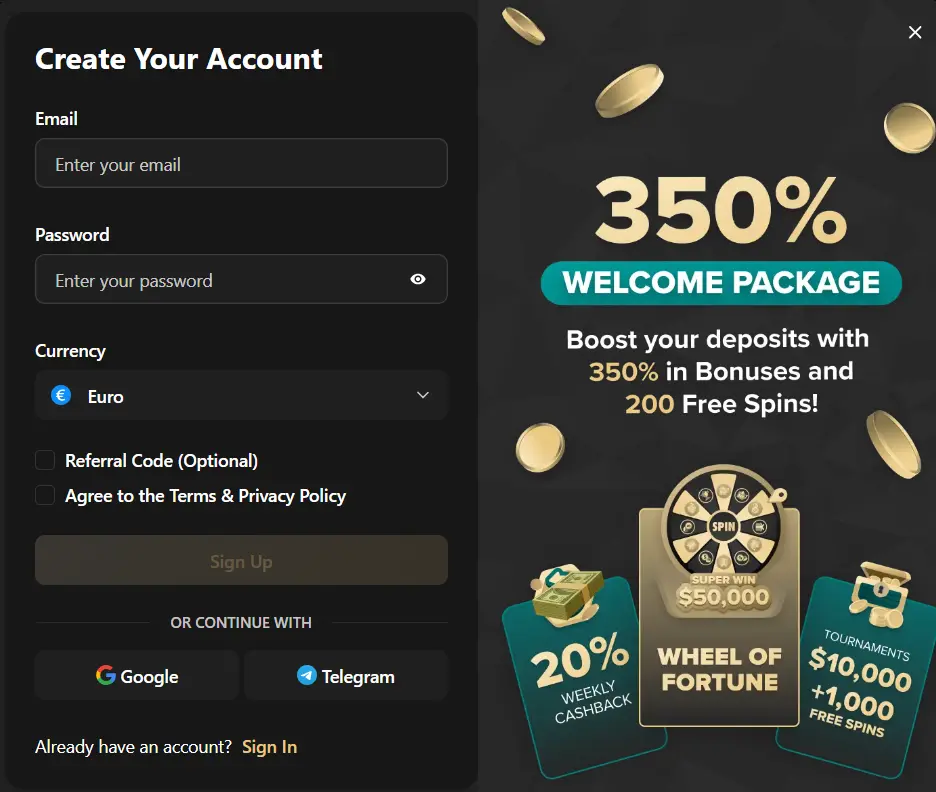
How to Create an Account for Wolfio Login
Setting up Wolfio registration in under 2 minutes. Creating an account allows users to access all features, including real money play, bonuses and loyalty program perks. Follow these steps to create your account:
- Open the form: Click the Sign-up button to get the registration form. You can find the button at the top of your phone or desktop.
- Enter your username: Type your email in the username field.
- Create a password: Type your password. Add upper and lowercase letters and numbers.
- Choose currency and country: Pick your currency and country.
- Accept terms: Tick the box next to the line about terms and conditions.
- Finish: Click Sign up to submit your form.
Requirements for Sign Up
You need a few requirements to sign up and keep your account. You will need to verify your identity before making your first withdrawal—this keeps your funds secure and helps us maintain legal gaming standards. Below are the requirements for Wolf IO Casino registration:
- Age: Ensure you are 18 or older and have documents to prove it. If the minimum age limit for residents in your region is higher, for example, 21, then your regional limit applies.
- Email: Email works as a username. You need it to reset your password, sign in and receive important communication from us.
- KYC documents: Ensure you have a driver’s license, passport, national ID, utility bill and a personal payment method. We need the documents to verify your identity, residence and payment.
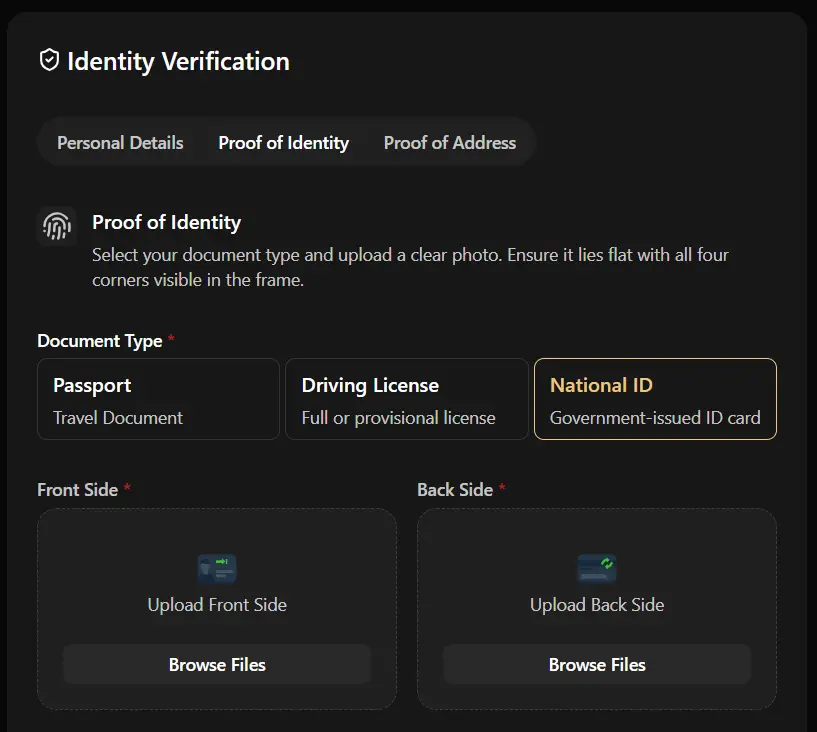
Casino Account Verification
We reserve the right to verify your identity and location by asking for specific documents and/or a video call. Our Know Your Customer (KYC) procedure is designed to protect your account from identity theft, prevent unauthorized use of payment methods, and ensure full regulatory compliance. We conduct the process on both fiat and crypto users.
Enter your Wolfio login email and password and go to your profile. Open the verification tab and confirm you have the required documents, that is, those listed above, including a driver’s license and utility bill. Upload your documents in the correct boxes and wait. We may schedule a video call via Microsoft Teams. You need to answer questions in English to pass the check. Remember to read the part about KYC verification in the user terms before completing your Wolf IO Casino sign up.
Wolf IO Casino Login Process
You need Wolf IO Casino login credentials to sign in to your account. These credentials are registered on our servers during registration. The details must match the credentials you create during signup. Follow these instructions to enter your account:
- Find the login button: You can scroll to the top of this screen to get the sign-in button. Click to open.
- Fill in the fields: Enter your email in the first field and your password in the next field.
- Verify: To avoid Wolf.io Casino login issues, check the spelling of the email and password. Confirm the uppercase, lowercase and symbols are entered as you submitted them during registration.
- Submit: Click the Login button to submit your form.
Sign In via Mobile App
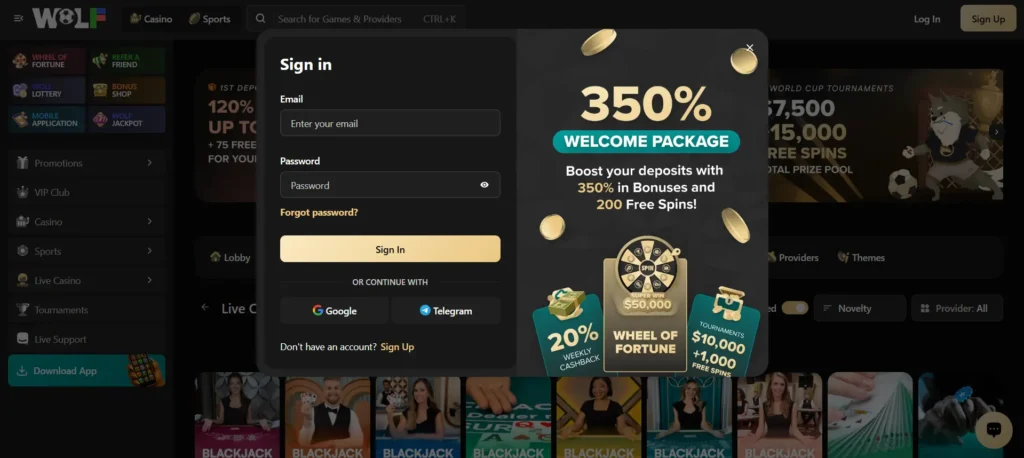
Our mobile app makes logins easier, more convenient and secure. You only need to download the Progressive Website Application (PWA) from our menu on your Android and add it to your home screen via the Share button on your iPhone. To log in, tap the app to get the navigation buttons. Tap the Wolf.io login button at the top, enter your email followed by your password and sign in. If you use 2-factor authentication, you will get a code and an additional field on the entry form. Enter the code before it expires and sign in.
Personal Details
You will share personal details during the Wolf.io Casino sign up. We require your email and personal data to complete your profile. For instance, if you want to sign up using your Google account, we will take your Google account email and name to create your account. If you sign up using Telegram, we will take your name and phone number.
Users also share personal documents such as a bank statement, utility bill and photo ID. Our website uses SSL encryption to prevent anyone from intercepting your information. The information remains secure on our servers because we use firewalls and restrict access.
Wolf.io Casino Login Issues for New Players
Signing in to your account with a Wolf IO login is uncomplicated, unless you run into some issues. Here are possible Wolfio Casino login issues and how to troubleshoot them:
| Issues | Solutions |
|---|---|
| Incorrect entry | Check the spelling of your username and password before submitting your form. |
| Forgotten password | If you cannot remember your password but remember your email, you can reset the password. Open the Wolfio sign in form and click “Forgot password.” Enter your email and click Reset. Get the reset link in your email and create a new password. |
| Invalid username or password | If you sign in using a cached/saved password after setting a new one, your login will fail. Clear your cache and use your new password. |
| Browser issue | Try using a different browser to rule out a compatibility issue. You can update your current one or use our PWA. |
How to Delete an Account?
You can close your account using responsible gambling tools or by contacting customer support. Your Wolf IO casino sign in information is suspended when you close your account using self-exclusion and cooling-off period tools. Thus, you cannot sign in until the self-exclusion period is over. You can take a break of 24 hours to 5 years.
If you want a more permanent solution, contact customer support. Ask the agent to delete your account. Here is a step-by-step guide:
- Withdraw funds: Cash out any remaining funds in your account.
- Send your deletion request: Enter your Wolf.io Casino sign in email and password and open the live chat bubble or use our email. Write a formal request.
- Confirm: You will get an email or a message asking you to confirm the request. It will take up to 72 hours for the account to be deleted.